
Iterate freely without rework. Discover new native, non-destructive tools that let you revise concepts and test alternatives without losing your original design.
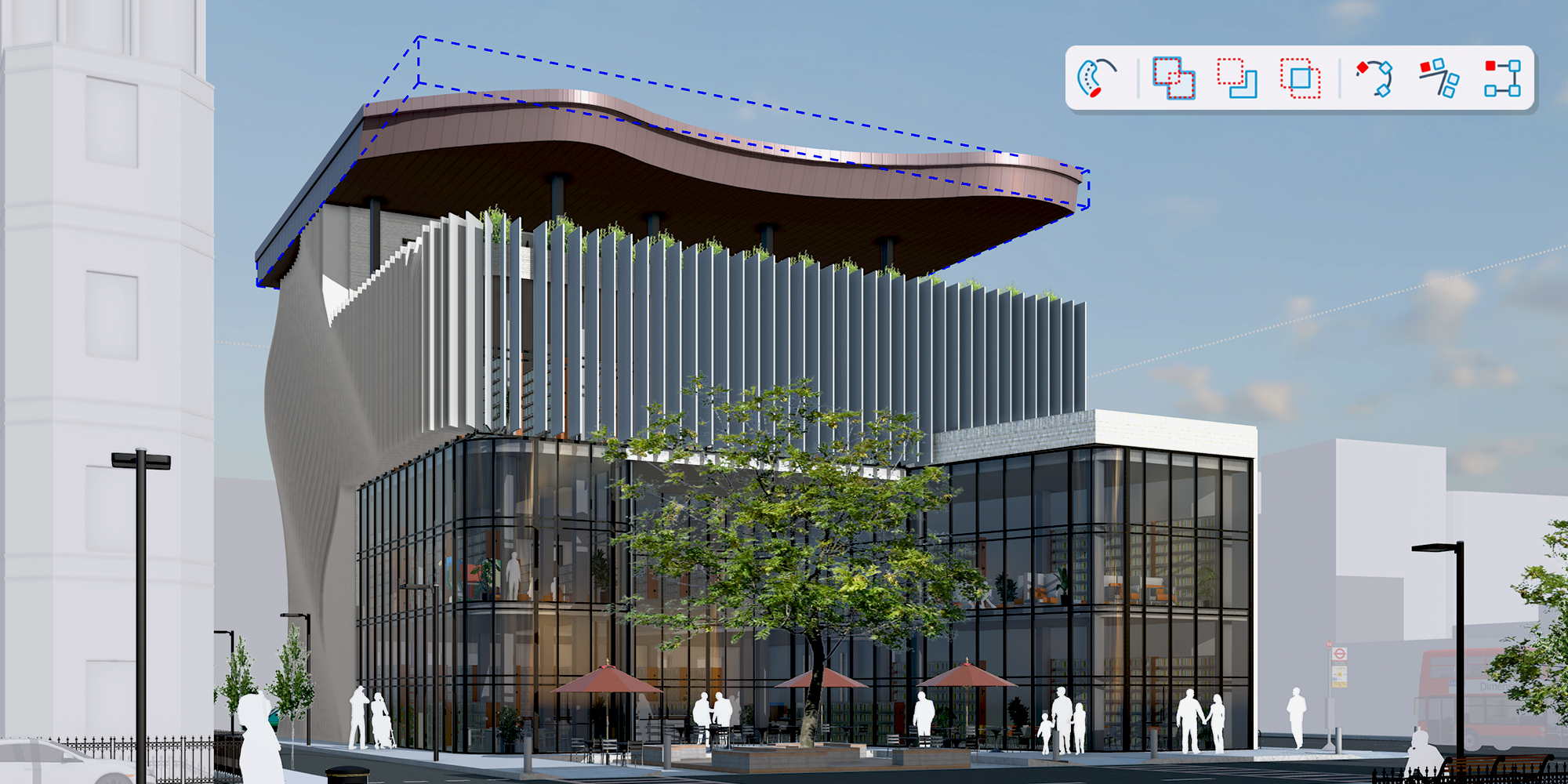
Edit complex 3D shapes without destroying original geometry. Turn last-minute client requests into quick edits to keep your momentum with native, non-destructive workflows.
Speed up your modeling and iteration with sweeps that never lock you in. Double-click back into the sketch at any time to modify profiles or paths without redoing downstream work. Generate multiple profiles simultaneously along a single path.
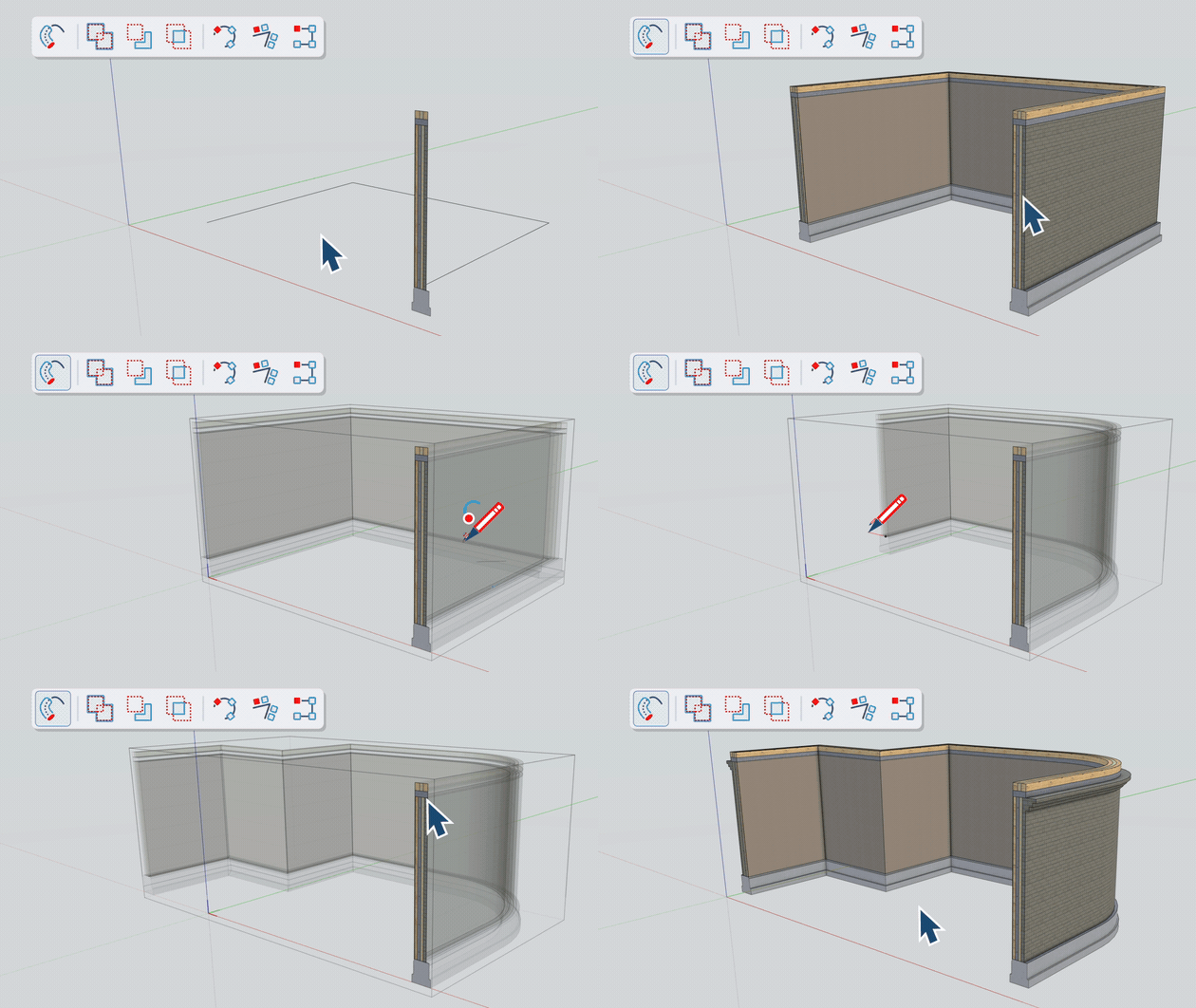
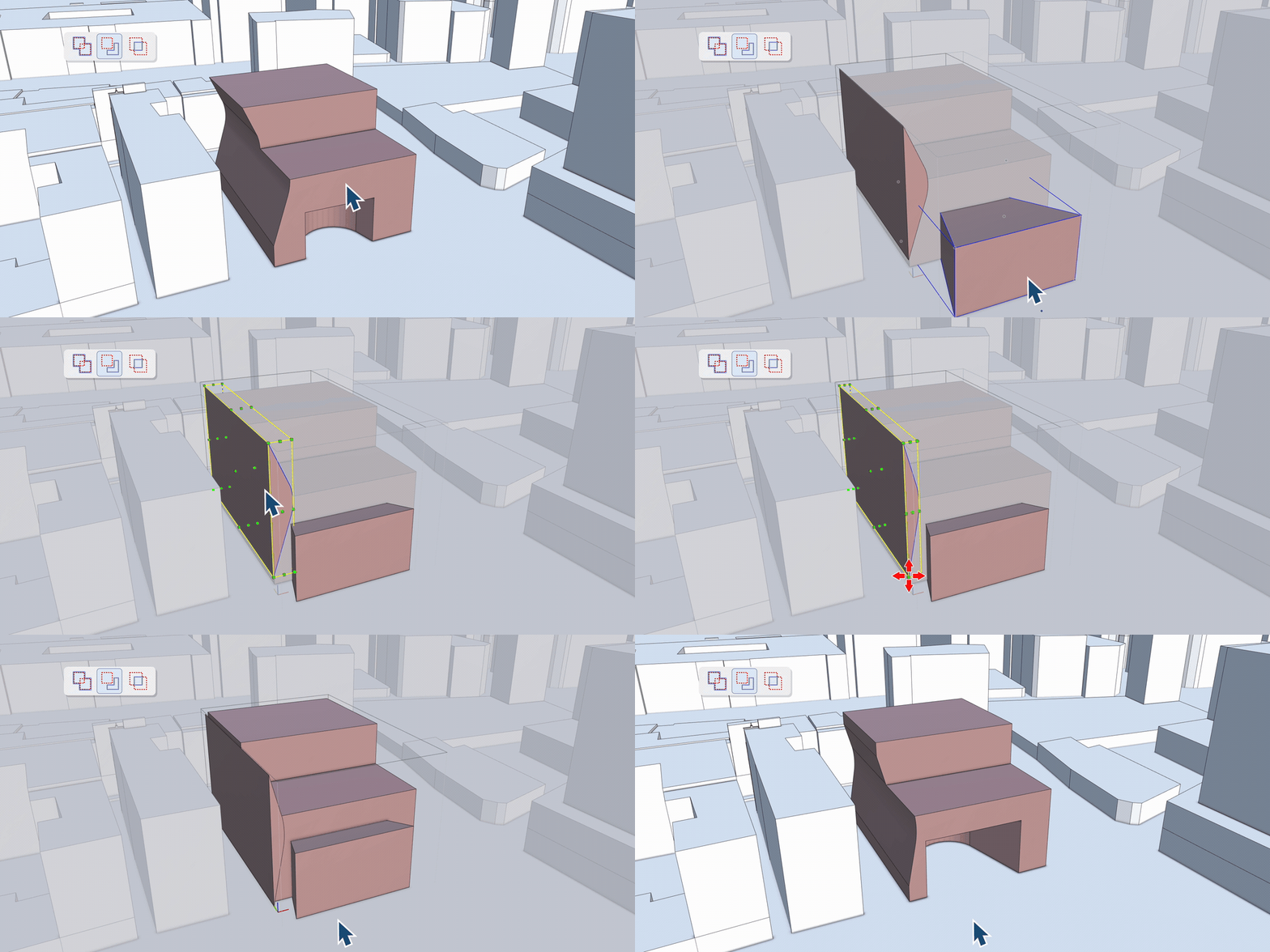
Iterate faster and more freely. Cut through multi-layered nested components and edit your original inputs at any time without destroying your geometry. Reverse or change operations on the fly.
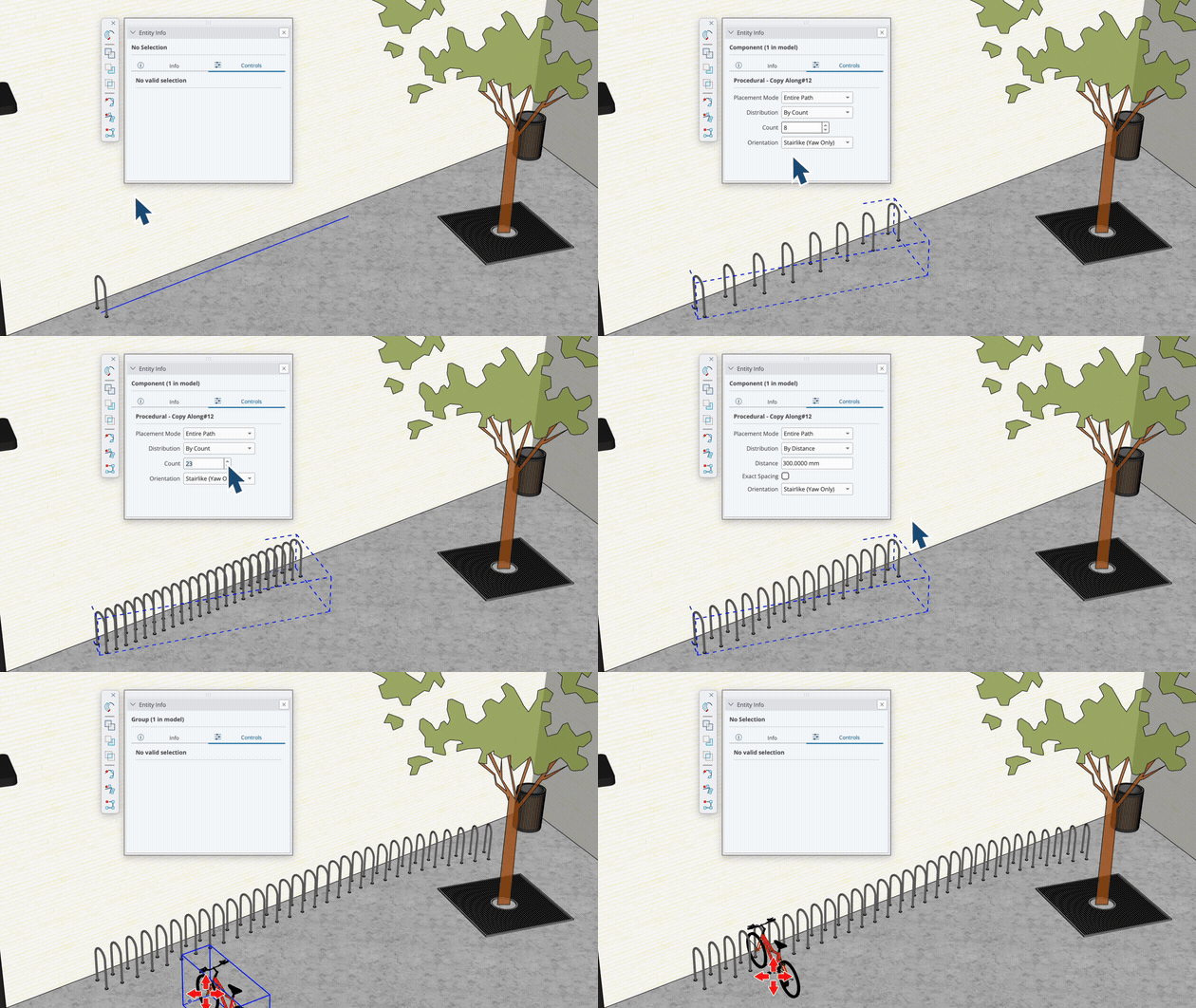
Intuitively array objects along a path, and edit the distribution or spacing at any time. Take it to the next level by stacking operations—use Follow Me and Copy Along as inputs in Solid Tools to create dynamic assemblies.
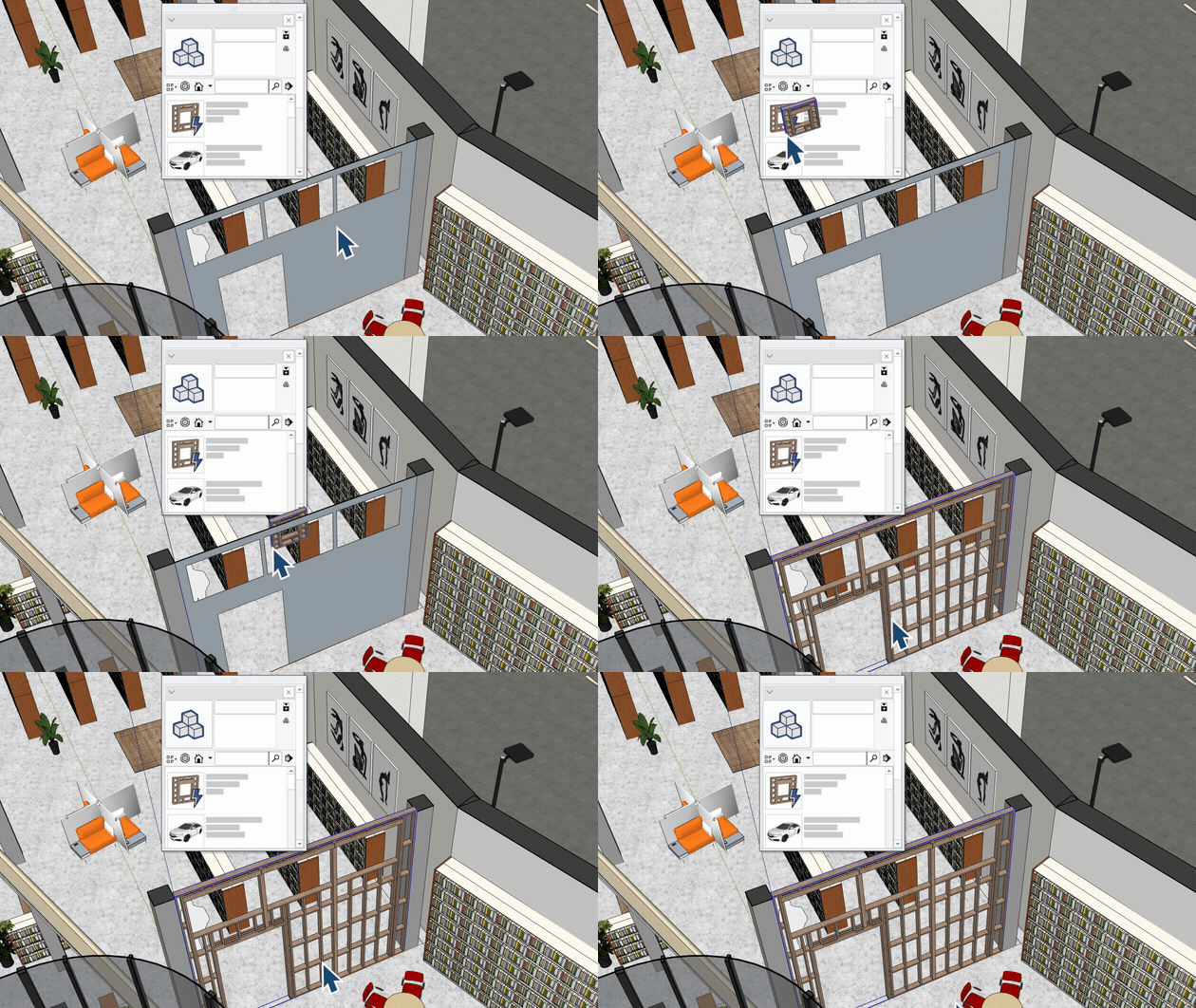
Save precious time with Live Components that automatically adapt and fit to target surfaces. Drop elements onto faces—even those with pre-existing openings—and let intelligent surface recognition scale, align, and configure the component to fit perfectly.
Speed up your drawing exports and draft on an infinite canvas in LayOut. Generate detailed section cuts in one click and edit viewport images right inside SketchUp to stop switching between apps.
True 2D drafting freedom inside LayOut without page constraints.
Bring a new level of detail with multiple distinct section cut patterns within a single model.
Re-architected HLR engine processes vector linework across multiple CPU threads simultaneously.
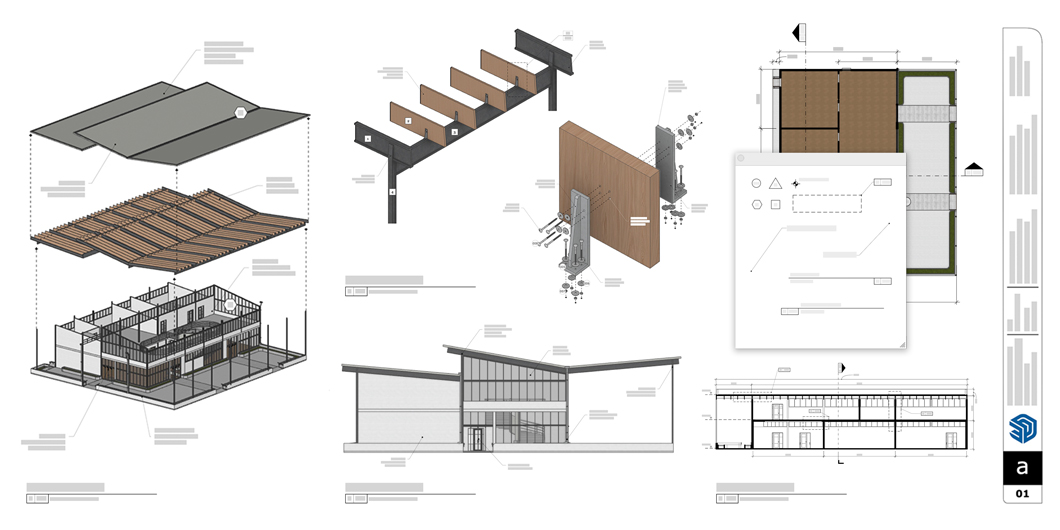
Experience non-destructive modeling, advanced LayOut tools, and the modernized UI today.
Get a Trial
TCS CAD & BIM Solutions Ltd
Unit F Yorkway, Mandale Industrial Estate, Stockton-on-Tees TS17 6BX
